Stop Vibecoding: A Senior’s Guide to AI-Augmented Software Engineering


The only summary you need to avoid an AI trap and level up your career safely and effectively.
Vibecoding is prompting an AI to build something without really understanding the underlying logic - just going off vibes. (Wikipedia)
Over the past year, AI has become my almost-daily tool, and in my collaborations, I have observed how developers of all levels (juniors, mid-levels, and seniors) interact with AI. I have seen it bring incredible productivity boosts, but also traps that can lead to messy codebases and stalled learning.
In this article, I want to summarize the core tips from my journey to help you integrate AI into your workflow safely, effectively, and professionally. I hope this piece will spare you the need to read a few other articles.
Software Development Life Cycle enhanced with AI
While I will focus more on the “Implementation (Development)” phase here, it’s not the only one, and AI has its role across all of them.
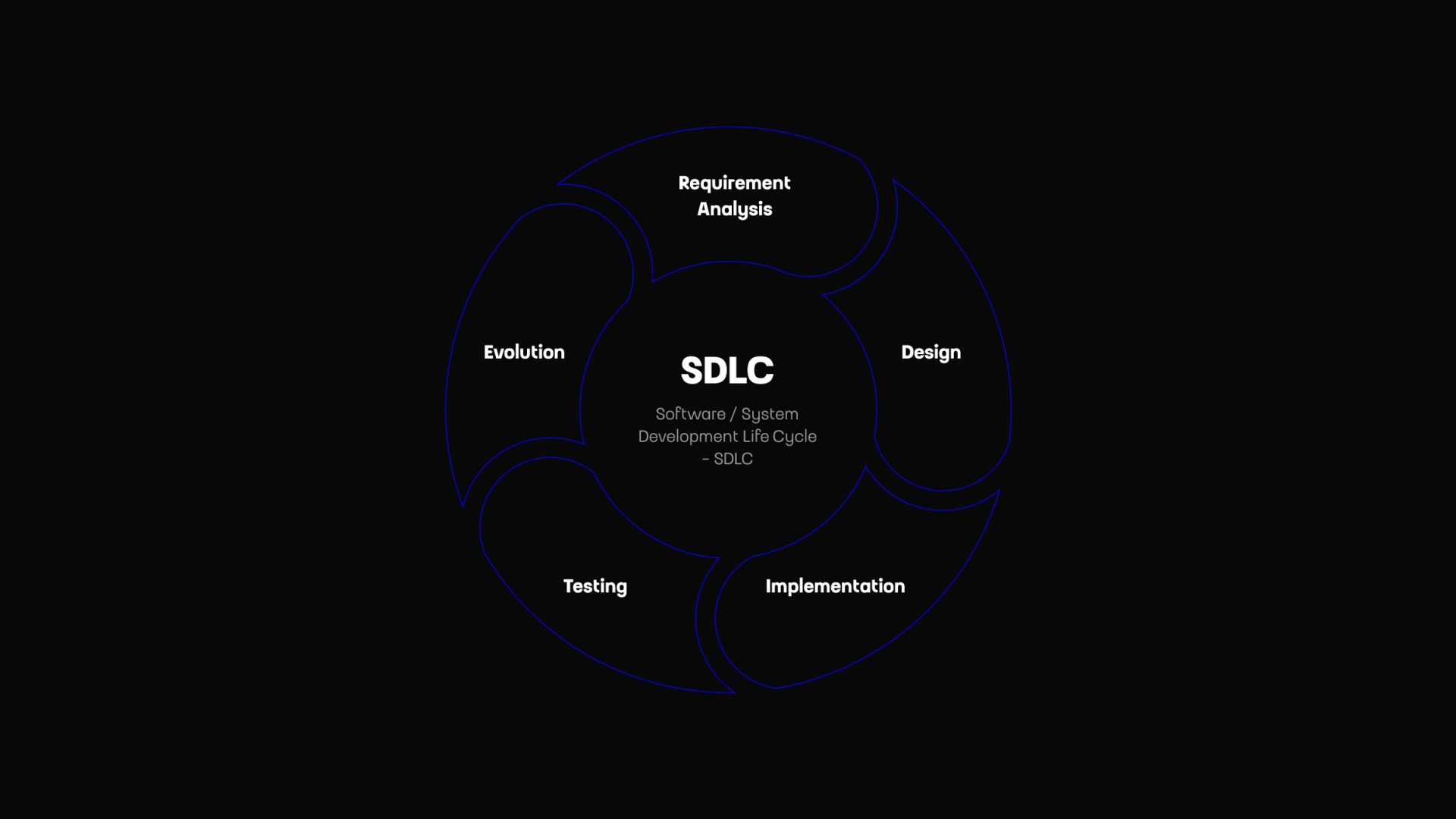
Requirement Analysis: Planning, risk assessment, project estimation
Design: Quick prototyping, architecture design, UI/UX mockups
Implementation: Code writing, reviewing
Testing: Test cases creation, writing integration and unit tests
(Deployment: CI/CD scripts, Infrastructure-as-Code)
Evolution: Maintenance, feature updates, refactoring
How Juniors, Mediors, and Seniors Use AI
One of the first things I noticed is that AI adoption varies by experience level. It’s natural; everyone just fills their own gaps in knowledge and skills, or just skips boring parts of a job.
Juniors often lean on it heavily for quick wins, which often means skipping learning and building core skills. Don’t be “that” junior. On the other hand, when used responsibly, AI can accelerate your career at an unprecedented pace.
It’s not always bad to go for a quick win. Differentiate between durable and disposable code. You need a different approach for a product you want to maintain for years and for a short-lived product, e.g., one meant just to sell an idea and then be thrown away.
Mediors with a few years in the field use AI to improve efficiency on familiar tasks, but sometimes accept suggestions without question. Jumping from junior to senior is a very important step for each developer or engineer, and it often means being able to work independently and build some architectural knowledge. AI should not be a complete replacement for that, as that jump will then never happen in reality; it will be hidden behind AI and can be quickly discovered by others, negatively impacting options for future collaborations.
Seniors use AI selectively - as a tool to accelerate repetitive, boring tasks, such as boilerplate code or initial drafts. But there is also a group that is too sceptical, and some even hesitate to use it at all. Also, don’t be “that” senior. Previously, we’ve had UIs to improve our lives, then we’ve had high-level languages, and now we have AI as just another tool… with a bit more hype than is healthy.
Why Code Review is No Longer Just for Seniors
The biggest change in the software development process right now is that code review is no longer just a task for senior developers.
In a traditional setup, juniors write the code, and seniors review it to point out flaws, ensure standards, and mentor. But today, when an AI tool generates 100 lines of logic in seconds, every developer is instantly placed into the role of a senior reviewer.
Team members with little to no experience in code reviews now need to learn this skill rapidly. When you use AI to generate code, you must treat the output exactly as if it were your own. You have to read it line by line, understand the flow, and be completely satisfied with it before you merge. AI is a great assistant, but it does not take responsibility for production bugs - you do.

3 Traps Developers Fall Into with AI (And How to Avoid Them)
When mentoring teams, I always prefer to teach through real examples rather than abstract theory. Here are three common situations I’ve encountered recently, and the lessons we can take from them.
Lesson 1: Read the Errors First
During a project, an intern encountered a massive error output in his terminal. He didn’t know how to navigate it, so he simply copied the entire wall of text and pasted it into an AI chatbot, asking what to do.
While the AI provided an answer, this approach bypasses a critical learning step. The root cause of the error was clearly described in a single English sentence; just a few seconds of investment were needed, less than waiting for an AI response.
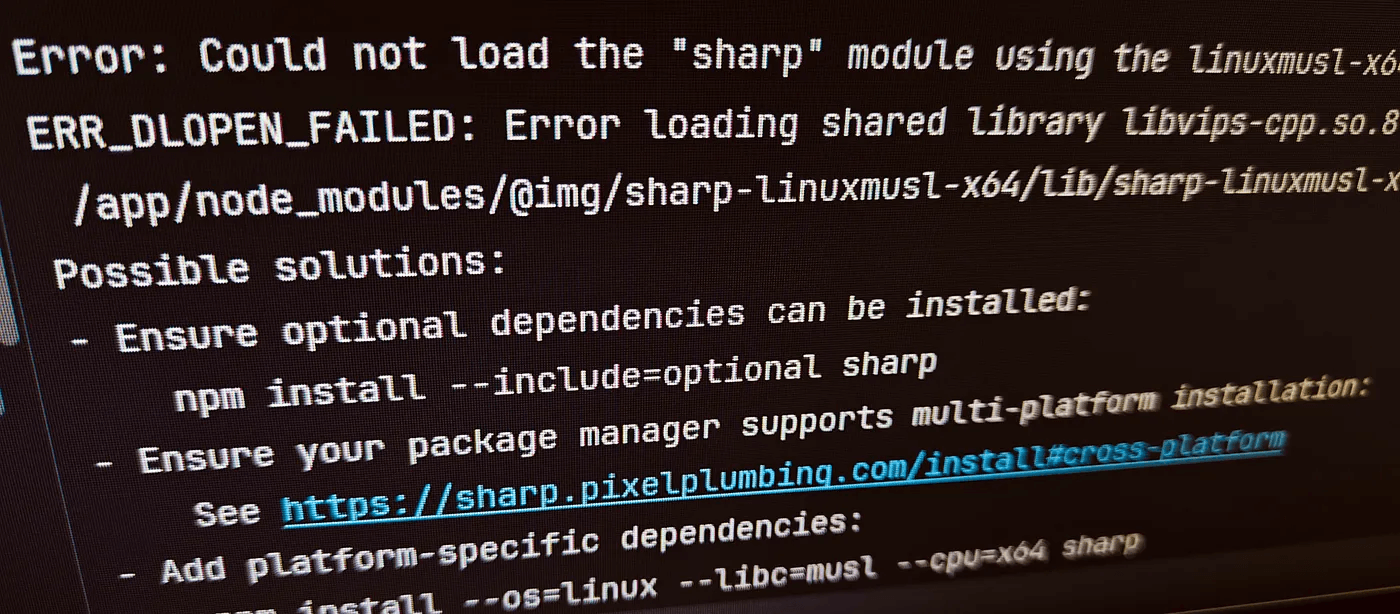
The Tip: Always use your brain first. It is essential to learn how to read errors, look for clues, and understand the environment. If you immediately outsource every error to AI without reading it, you will be completely lost in a debate with others, or when a complex issue arises.
Lesson 2: Understand What You Submit
I assigned another intern to study the documentation for our framework and deliver tasks in small increments. In his first merge request, I found nonsensical logic, references to non-existent variables, and completely unnecessary libraries. When I asked them to explain the code, they couldn’t. It was clear he had no ownership of that code.
The Tip: Never merge code you cannot explain. AI models will sometimes “hallucinate” libraries or misguess your project structure. Your job is to audit the output. If you don’t understand why a line of code is there, it shouldn’t be in your merge request.
Lesson 3: Enforce and Maintain Your Standards
This isn’t just a challenge for beginners. An experienced team member recently submitted code for a domain he hadn’t worked in before. The code worked perfectly. However, two of us independently identified it as AI-generated during the code review.
Why? Because the style didn’t fit the rest of the project at all. It ignored our established conventions, and its English naming conventions were highly unusual.
The Tip: AI models have their own default coding styles. As a professional, you must guide the AI to match your project’s standards. Don’t accept working code if it creates architectural inconsistency. Refactor the AI’s output so it blends seamlessly into your existing codebase.
For my own code, the durable one, that I need to maintain long-term, I even go as far as not accepting it until it looks almost exactly like I would have written it (after all, my name is on it, isn’t it?).
Two Golden Rules for AI-Assisted Programming
I have settled on a workflow that keeps me productive but firmly in control. It boils down to two main rules.
1. Don’t start with the tool, end with it.
Do not open your AI tool the second you receive a task. Start by thinking (not model thinking, but yours). Design and imagine the basics in your mind. Decide on the patterns you want to implement. Only when you know exactly what you want to achieve do you bring in the AI to help you write it faster. If you need a sparring partner for that planning phase, use Plan mode, but even then, how can one review its outputs without their own opinion on the topic? Start by thinking and building at least some basic one.
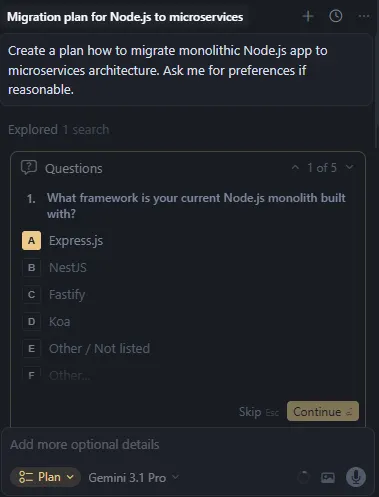
2. Write code so that AI can understand it.
We are taught to write clean code, so other humans can read it. Today, there is a second reason: AI reads it - clean code gives AI better context. If your project consists of massive, monolithic files and poor variable and function names, the AI will struggle to understand your intent and will generate poor suggestions. Writing modular, well-documented code helps the AI provide highly accurate, contextual assistance.
Types of AI Coding Assistance
To use AI effectively, you need a good overview of the landscape. I categorize AI coding assistance into three types:
- AI Chatbots (e.g., ChatGPT, Grok, Google AI Studio, …) — Great for isolated questions, brainstorming, or explaining concepts, but they lack deep context about your local files.
- AI Code Editors / IDEs (e.g., Cursor, Claude Code, Codex, …) — This is the sweet spot for professional programmers now. They see your filesystem, understand your workspace, and integrate directly into your daily workflow.
- AI Software Engineers (e.g., Replit, Devin, …) — Tools designed to complete entire tasks autonomously (not only implement your idea but host it too). Not for software engineers, in my opinion. The target audience is product and sales teams drafting prototypes, and people who want to build something but never touch code.
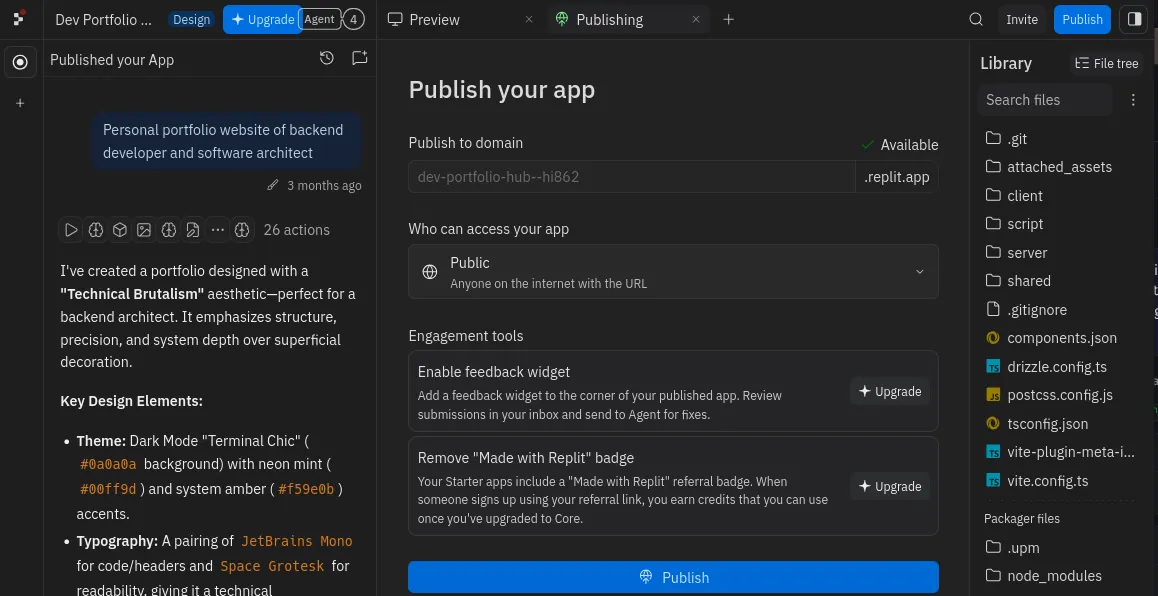
In my daily practice, I work primarily in Cursor (AI Code Editor).
Navigating AI Models: Which Model to Use and When
(This text will likely become outdated soon, as AI models come and go so often, but I will share some principles that will outlast specific AI models.)
An editor is only as good as the model powering it. I regularly test models against each other. In Cursor, you can easily do this by checking the “multiple models” option, giving them the same prompt, and watching them solve the problem simultaneously in isolated workspaces.
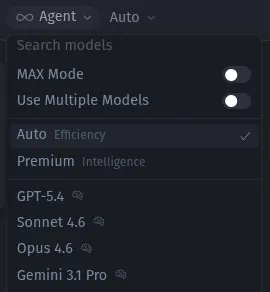
Always read the pricing section in your editor’s documentation. You will find helpful details that can save you some €€€. Currently, for Cursor, it’s https://cursor.com/docs/models-and-pricing
- Auto: This is mostly Cursor’s default proprietary model (Composer). I consider it the baseline. It is fast and capable, though sometimes it adds a bit more boilerplate than I prefer, unnecessary comments, and more junior-like outputs. Cursor’s documentation lists it as a preferred option and notes that it is also the cheapest. The documentation states (or stated, as that changes very often too) that it will choose the best model based on the user prompt. I don’t believe it, as I never noticed anything other than Composer model outputs; they always had the same identifying marks. After working with it for a while, I can tell the difference between models.
- GPT 5.4 / Codex: In my latest tests, GPT models finally started performing really well in Cursor. In the past (≤5.2), they were painful, and I struggled with them. Very long response times, frequent errors… Now they are very capable, and people also have a good experience with their native Codex IDE.
- Gemini 3.1 Pro: For my workflow, this is currently the best and most mature model in terms of price-to-performance (performance/quality). It is close to how I would write code myself. It follows established patterns in the codebase beautifully, does exactly what I ask without adding unnecessary fluff, and maintains a very reasonable boundary of what to touch and what to leave alone. Still, it’s behind Opus/Sonnet but cheaper. I must also state that I give it technical, narrowed-down tasks, not broad tasks where people often report hallucinations.
- Claude Sonnet / Opus 4.6: A highly capable model, excellent for deep architectural reasoning or complex refactoring, but they are currently the most expensive ones.
My recommendation is to use a multi-model approach - select the right model based on the character of the task you are trying to resolve. Don’t get locked into one model. If Gemini struggles with a specific logic problem, switch the prompt over to Opus and see how it handles it. I often switch even mid-conversation. I won’t ask Opus to refactor/rename a file; that would be very expensive, it’s a task for cheaper models. But the next question can be architectural, in which case Auto mode or the Composer 1.5 model won’t help me much.
The Practical Workflow: Create, Refactor, Edit, Delete
When I use an AI IDE, I break my work down into four distinct actions. This helps keep the AI focused on specific, manageable tasks.
1. Create
This is a case where supervision is most needed, and the results are often far from the form I would write myself, especially for large features. That’s why I break them down into smaller chunks and write longer prompts to share motivation, business details, and guidance, all while keeping it within the boundaries I’ve defined. Also, I focus on more technical, narrowed-down instructions for AI.
2. Refactor
AI is incredibly powerful here. It would take me hours to find all occurrences and related code, even with a powerful search in a classic IDE. I’ve had good results with “Refactor this to use newer JavaScript features, follow our project’s naming conventions, and extract the HTTP request logic into a private method.” The AI does the typing, but I provided the architectural direction.
3. Edit
Editing something overall has better results than creating something from scratch with AI. I aim for smaller, targeted edits. The best results have ones where I’ve included technical guidance and direction in the prompt.
4. Delete
Often overlooked, but similar to the Refactor use case. AI is great at cleaning up (when it’s told to do so). I use it to trace references and safely remove dead code, unused endpoints, or old dependencies, ensuring the project stays lean. It would take me hours to find all occurrences and related code, even with a powerful search in WebStorm IDE.
Privacy, Security, and Local AI
If you are a professional, you must care about data security. You cannot always send proprietary company code or sensitive client data to cloud-based LLMs. For situations requiring strict privacy, or if you are working under strict legal and licensing constraints, cloud AI isn’t an option.
I’ve seen a project where a client strictly prohibited any use of AI due to the highly confidential nature of the work and privacy and security concerns.
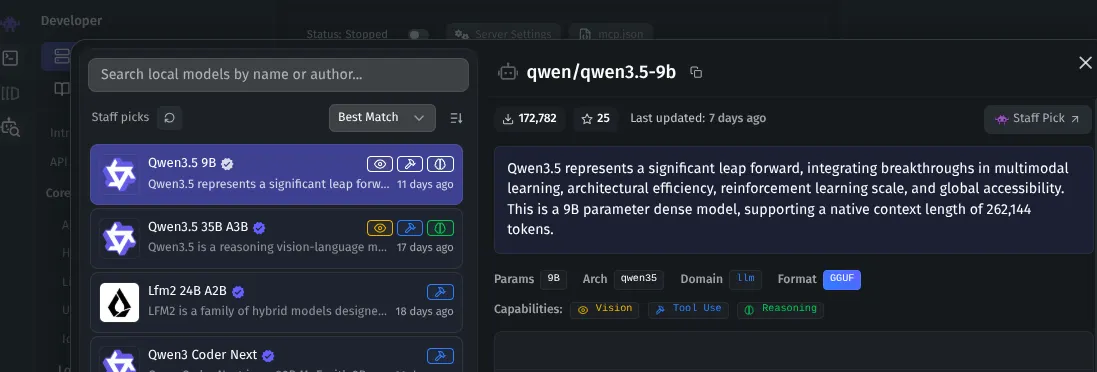
For such use cases, I highly recommend exploring local AI models. Using tools like LM Studio, you can run powerful LLMs entirely on your own hardware. It is 100% private, requires no internet connection, and ensures your data never leaves your machine. That way, you can keep working on projects with special requirements while still enjoying the benefits of an AI sparring partner. But still, legally it may be better to validate with the client, of course.
There are 2 bottlenecks:
- Open-source models don’t match the performance of proprietary models
- Your hardware — you need something more powerful than a basic laptop, though it has gotten significantly better and more accessible recently
TL;DR: The Rules of the New Engineering Era
To summarize the core mindset shift, you need to be serious in your career now:
- Review everything: Treat AI output with the same scrutiny you would give to an intern’s pull request.
- Own the errors: Use your brain before you paste stack traces into a chatbot.
- Design first, prompt second: Don’t let the AI dictate the architecture.
- Match the tool to the task: switch models based on problem complexity, and use local LLMs when privacy is paramount.
AI is an incredible sparring partner, but you are the engineer. Stay in the driver’s seat.