
A User-Friendly Benchmarking Tool for Clearer Institutional Comparisons

Rebuilding A Benchmarking Tool Into A Clear And Application-like Power BI Solution
After the successful PPMI collaboration, the client returned to us with a request to rebuild their Institutional Benchmarking Tool. The existing tool was outdated, difficult to navigate, and did not support clear, meaningful comparisons between universities.
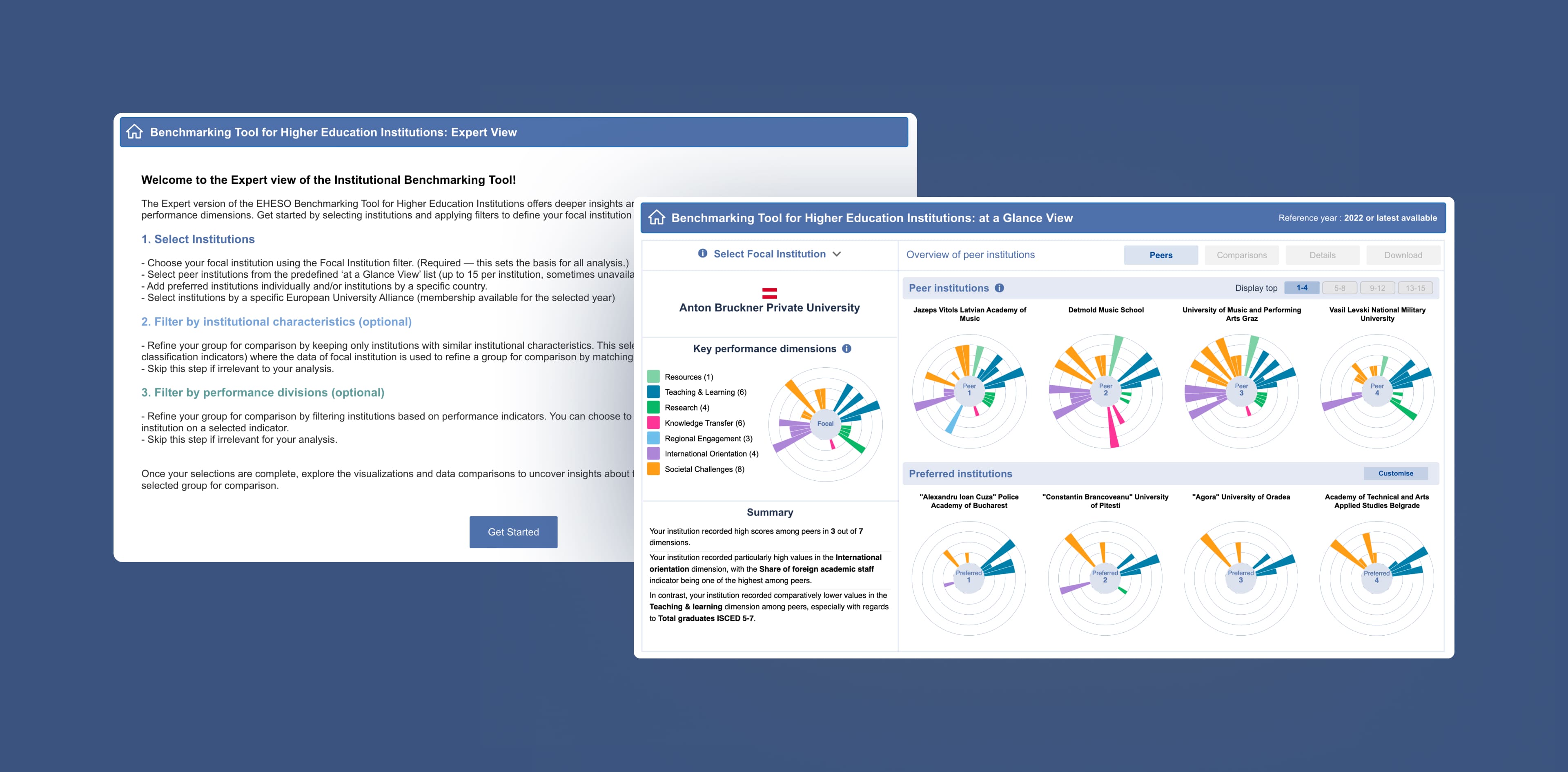
Based on our previous cooperation for the Scoreboard tool, PPMI entrusted us with creating a new version of the benchmarking tool in Power BI. Our goal was to redesign it completely and shape it into a solution that behaves more like a user application than a classic report, simple for newcomers, but detailed enough for expert analysts.
The final Institutional Benchmarking Tool consists of two interconnected Power BI reports: the At a Glance View and the Expert View.
Transforming Complex Datasets Into A Tool That Works For Both Non-Specialists And Analysts
PPMI needed a tool that could clearly present complex data without overwhelming the user. The previous version lacked structure, clarity, and flexibility. We faced several key challenges:
1. Turning Power BI into an interactive tool, not just a typical report.
We needed to develop a custom navigation, filtering logic, and visuals/charts that Power BI does not offer straightforwardly
2. Designing the structure of the tool from scratch.
We had the datasets and indicator definitions, but everything else (layout, screens, charts, flows, visual structure) had to be newly designed.
3. Showing performance data in a simple and readable way.
We had to strike a balance: give users options without burying them in complexity.
4. Developing visuals that Power BI doesn’t offer by default required full custom development.
Sunburst charts, a custom TopoJSON map of Europe, and several DENEB-based visual components.
5. Implementing multi-layer filtering without breaking logic or performance.
6. Working through many rounds of feedback and refinement until we reached a structure that worked for all - policy users, stakeholders, and analysts...
Two Complementary Power BI Views Designed From Scratch To Balance Simplicity And Analytical Depth
We created a fully custom Power BI tool built from the ground up. Although built on Power BI, it behaves like a standalone analytical application.
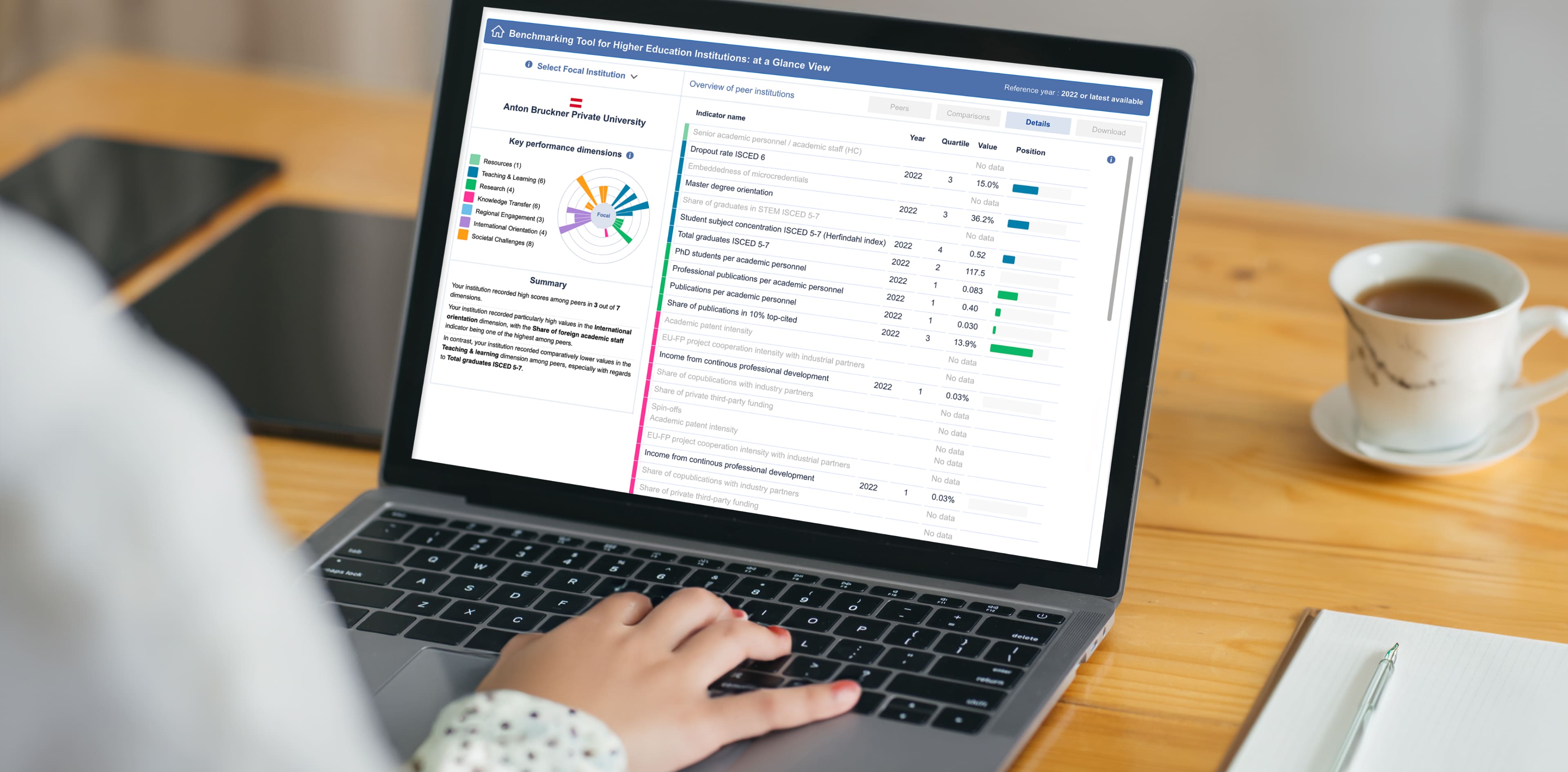
At a Glance view: For quick institutional comparison
Designed for users who only need a simple, clear overview and comparison with peer institutions.
What it offers:
- Select a focal institution and country
- Peer institutions are automatically shown
- Comparison across 7 performance dimensions
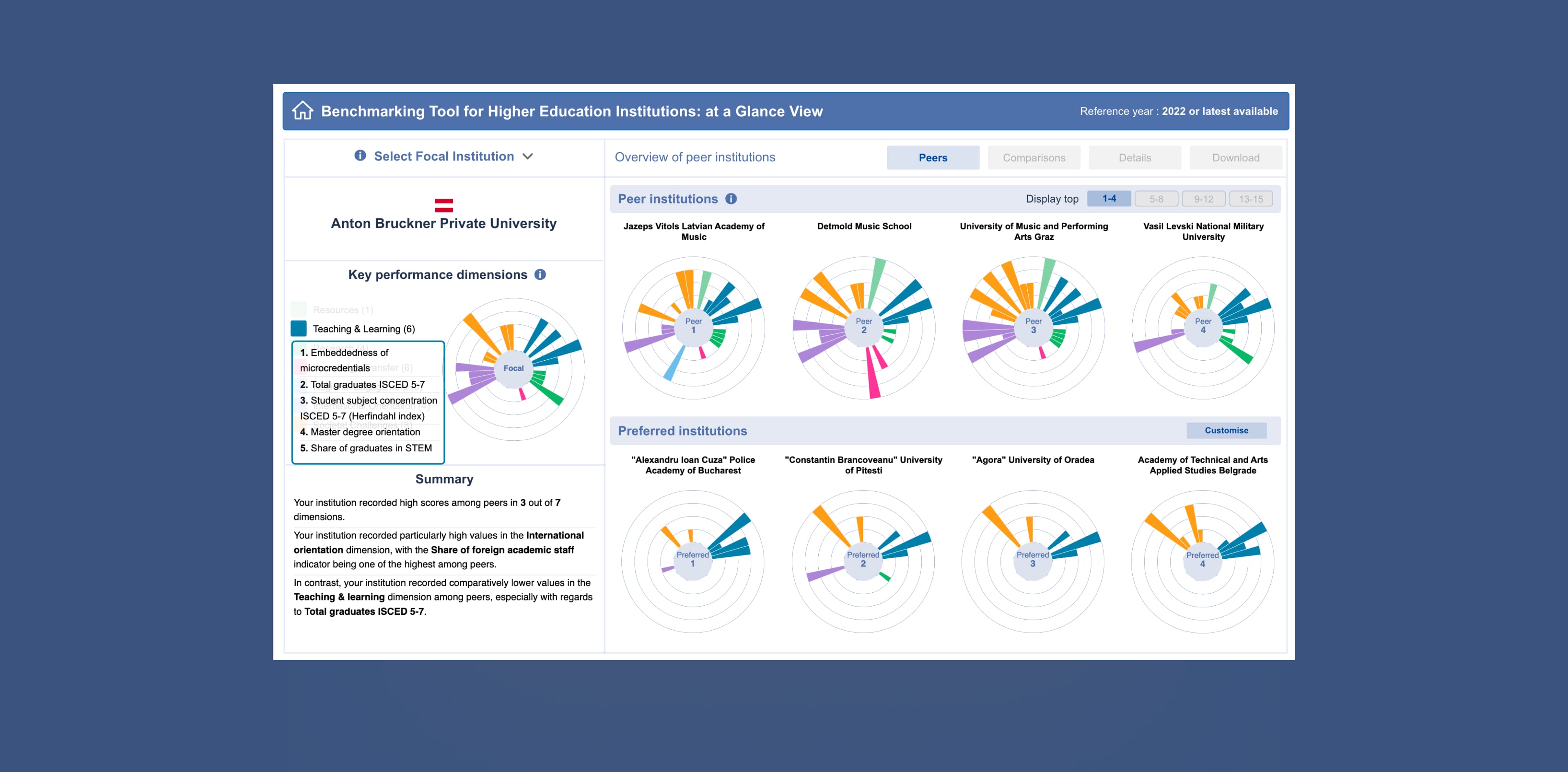
- Quartile scoring for all indicators
- Ability to add peer institutions of interest
- Summary text describing performance patterns
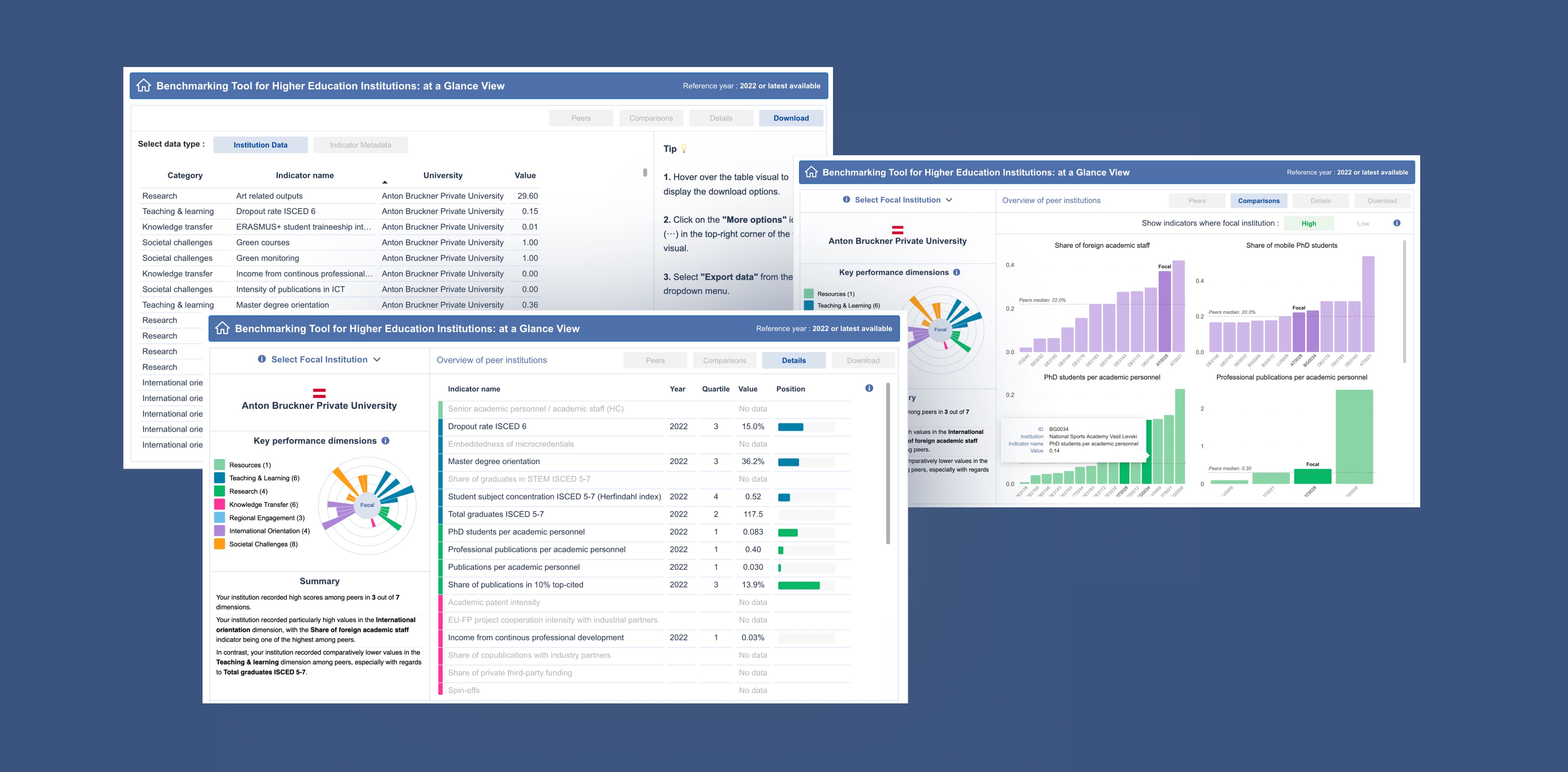
Structure: Peers, Comparisons, Details, Downloads
This view removes complexity and gives institutions a straightforward way to see where they stand:
Expert view: For analysts and experienced users
A deeper, interactive, and fully customisable environment for those who need full control.
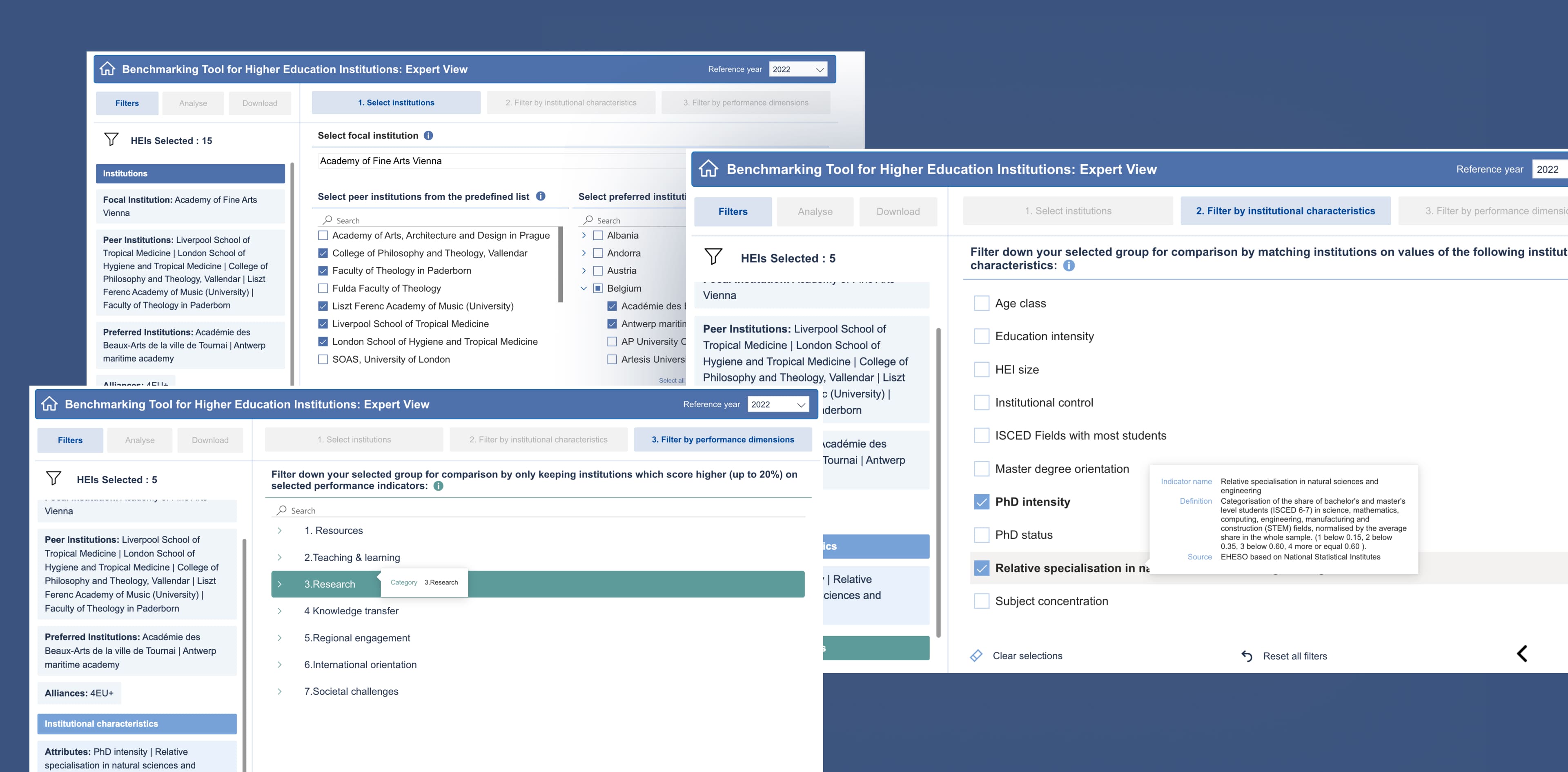
Three sections: Filters - Analyse - Download
Filters
Built entirely using custom DENEB components. Users can:
- choose focal institution,
- build their own peer groups,
- filter by 10 characteristics,
- choose specific indicators (unlike At a Glance),
- see their selections update instantly.
Analyse
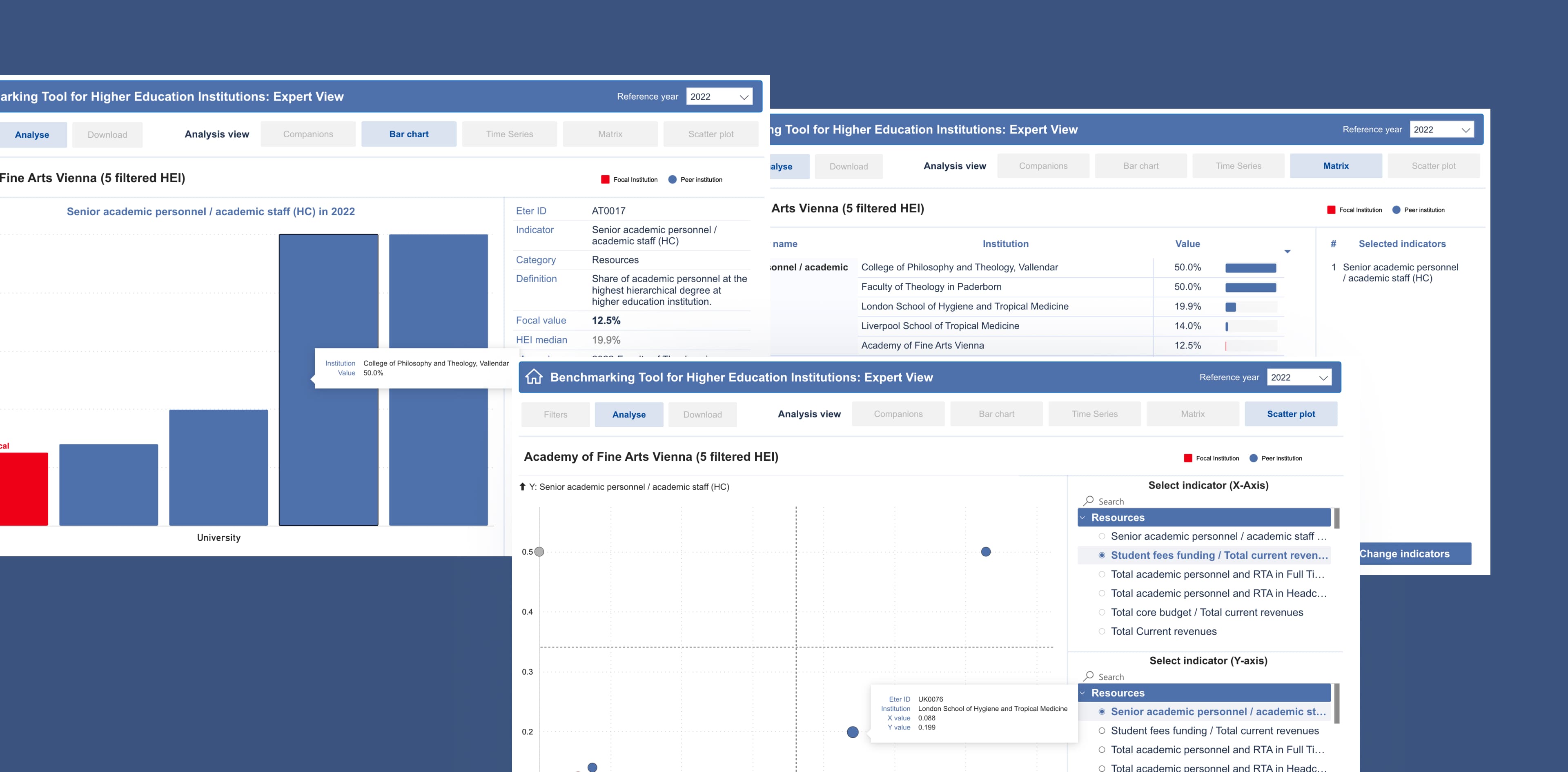
Five analytical views:
1. Companions Map - custom-built TopoJSON
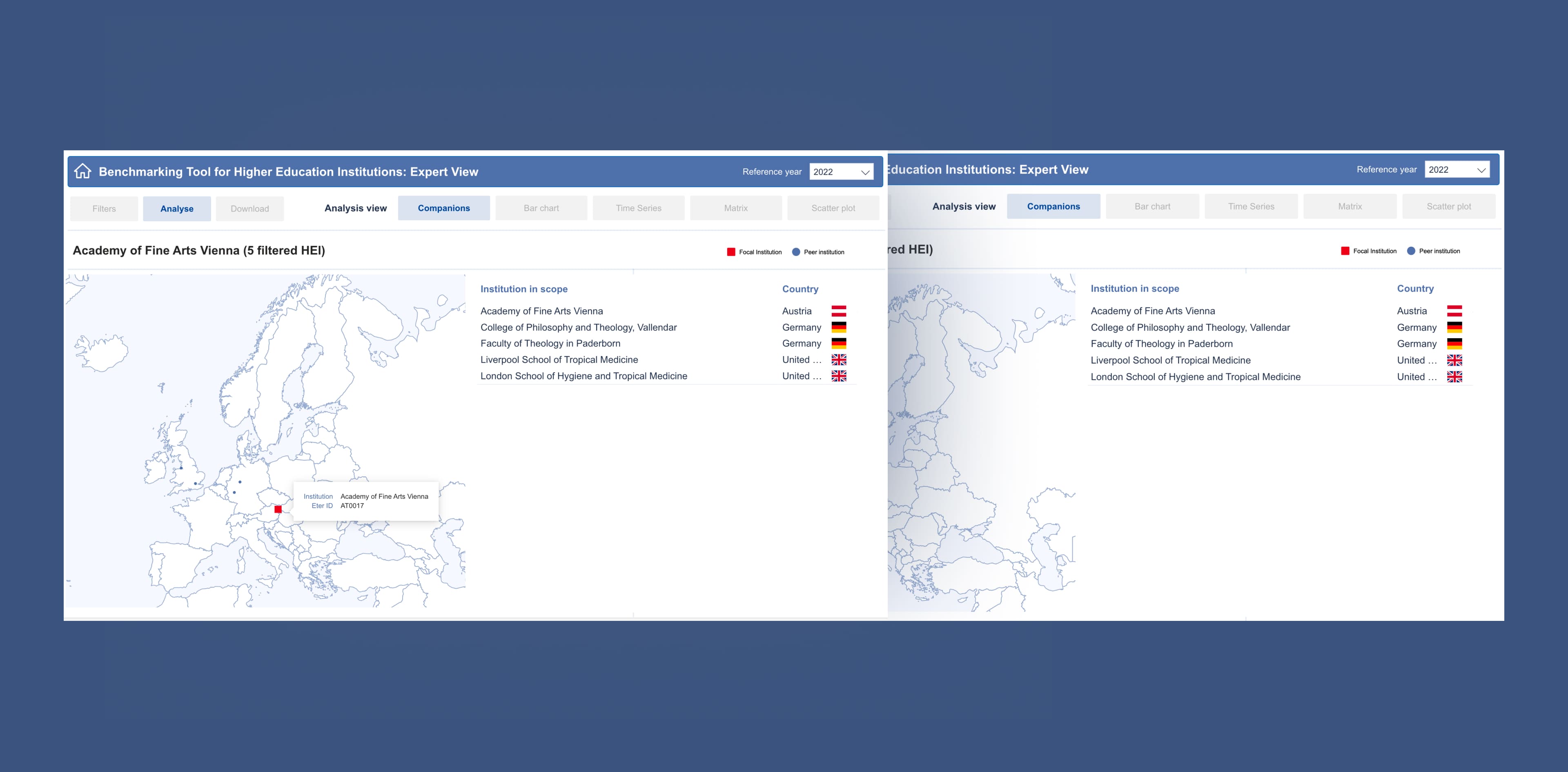
2. Bar Chart - single indicator comparison
3. Time Series - indicator development over time
4. Matrix - detailed tabular comparison
5. Scatter Plot - compare more indicators at once
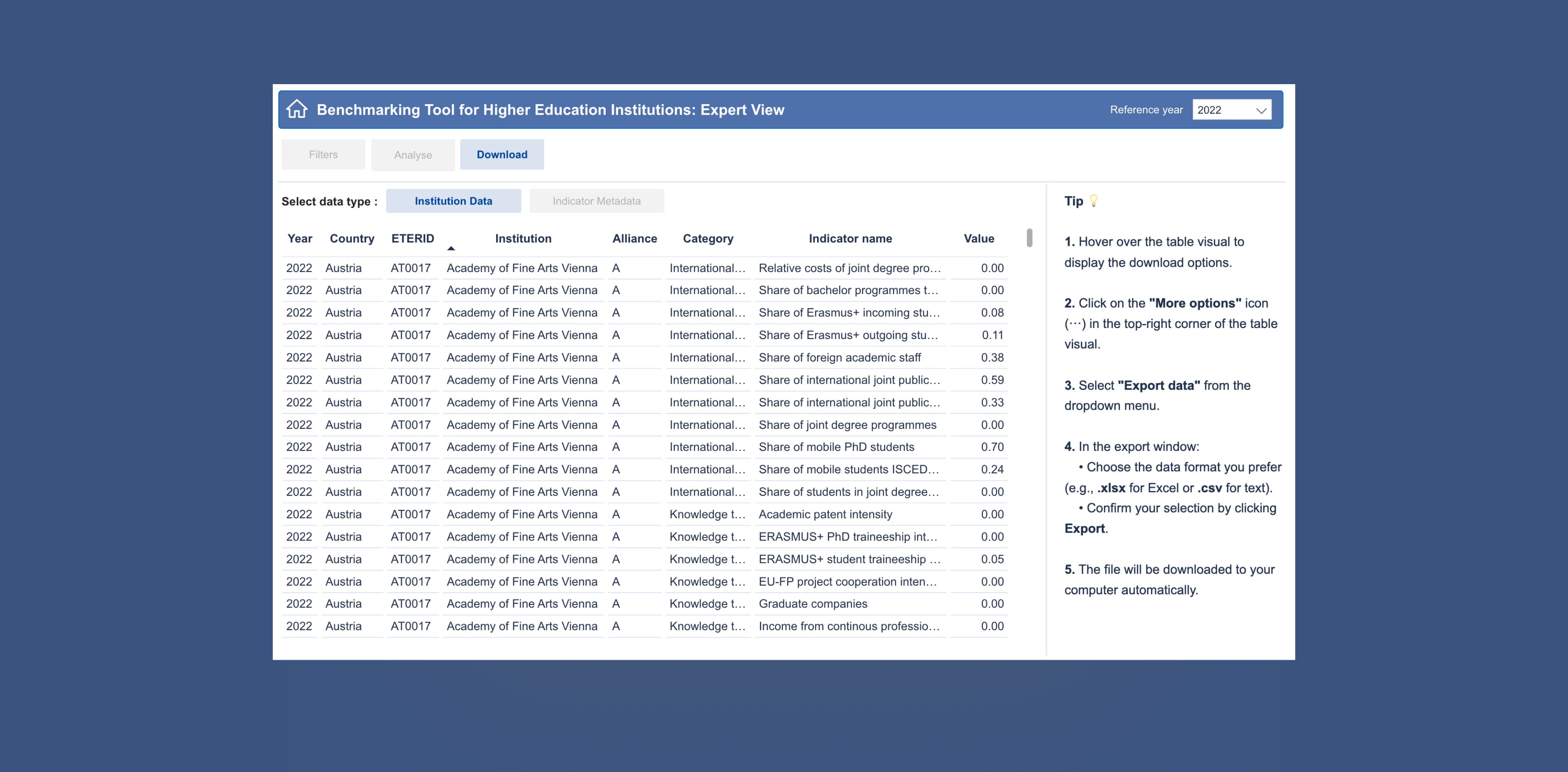
Download
Users can export all data from their custom selection.
Major added value: Robust peer matching and indicator comparison logic
The benchmarking tool automatically processes up to 15 most similar peer institutions for every university using pre-calculated similarity data, split and transformed from the JSON source.
This gives users a ready-to-use, reliable reference group, something the previous tool lacked.
Iterative Refinement Based on Continuous Testing and Feedback
We worked in iterative cycles with PPMI, testing and refining each part of the tool.
The process included:
- prototyping different layouts and flows,
- validating data logic after each filter adjustment,
- tuning custom visuals for clarity and performance,
- repeatedly simplifying parts of the tool that felt too complex,
- implementing changes based on continuous feedback.
Multiple versions were produced before we aligned on the final, best possible, intuitive structure.
Services We Provided:
To deliver the final tool, we used:
- Power BI is the main platform
- DENEB for custom visual development
- Building custom TopoJSON for geographic mapping
- Power Query to process JSON datasets
- DAX to support comparison logic, quartiles, and dynamic filtering
- Custom navigation and UI patterns for an “application-like” feel
A Modern, Reliable Benchmarking Tool That Makes Institutional Performance Easier To Compare And Understand
The redesigned Institutional Benchmarking Tool is clearer with improved UX/UI and far more usable than the previous solution. It's now:
- gives users (stakeholders, policy makers, managers, directors) a simple way to compare their institution,
- provides analysts with full control over data selection and evaluation in the Expert view report,
- turns large JSON datasets into meaningful comparisons,
- presents data in visuals that are easy to read and interpret (sunburst chart, bar chart, scatterplot, etc.)
- and supports both quick insights and deep analytical work.
Key difference between the two views:
- At a Glance View focuses on clarity and immediate understanding, designed for users who need a quick institutional comparison without navigating complex settings.
This was the goal from the beginning, and the result fully delivers a Power BI report with a clear focus on user-friendliness and simplicity for new users.
- Expert View is built for users who need depth, interaction, custom filters, and full analytic flexibility.


Get in Touch with Us
Fill in this form, or, if you prefer, send us an email. Don’t worry, we’ll send you an NDA and your idea will be safe.